Challenge the apps that steal your attention
Choose the apps that pull you back in. Everything else stays untouched.
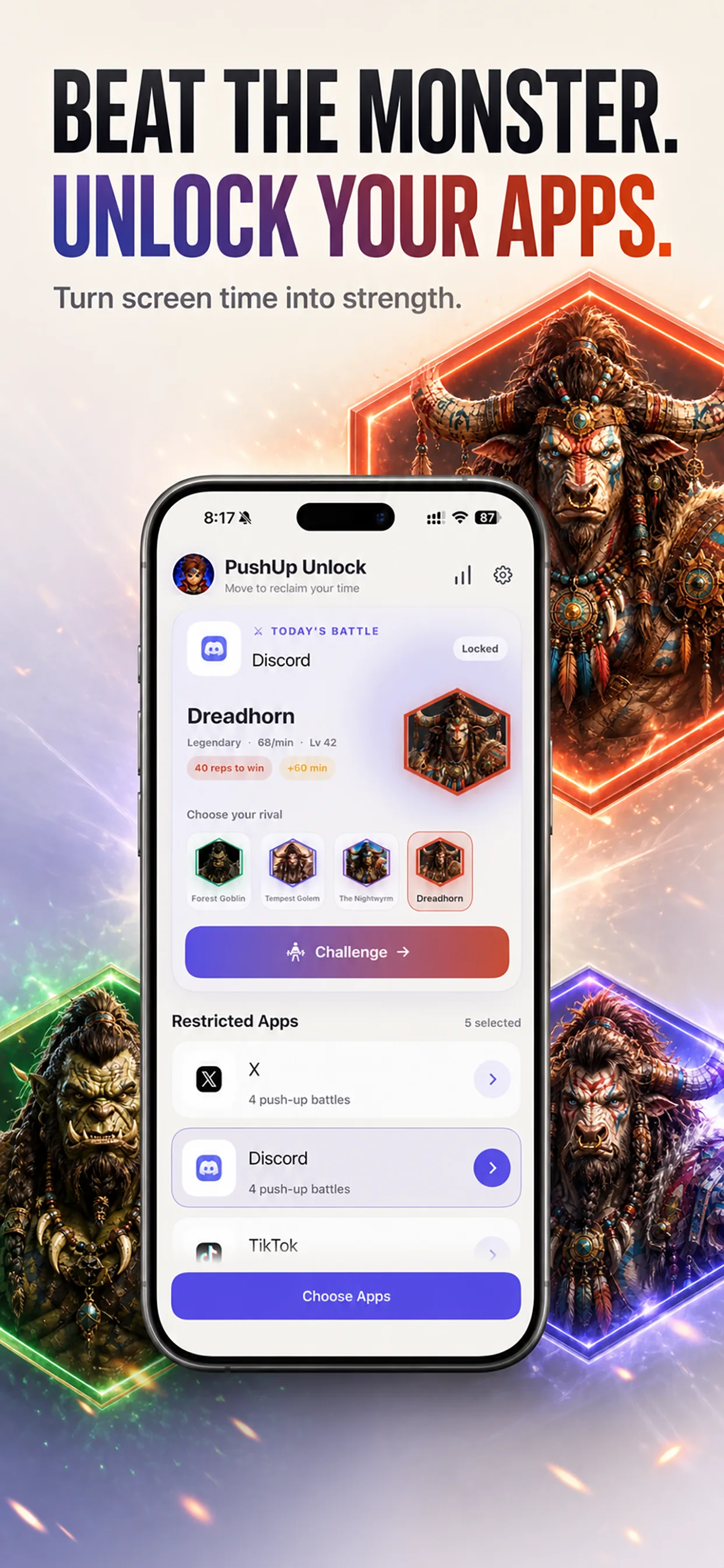
Distracting apps are designed to pull you back in. PushUp Unlock puts movement between impulse and access—turning app blocking into an exciting push-up battle.

Free download · Subscription required after onboarding
A SIMPLE EXCHANGE
PushUp Unlock combines app blocking, fitness, and real-time competition in one completely new experience. Choose the apps that steal your attention, face a monster, and race to complete your push-up target first.
Choose the apps that pull you back in. Everything else stays untouched.
Complete 5, 10, 20, or 40 push-ups to win and earn 5, 15, 30, or 60 minutes of access.
The battle ends when you or the monster reaches the target. Win to unlock only that app; lose and it stays locked.
BEAT THE MONSTER
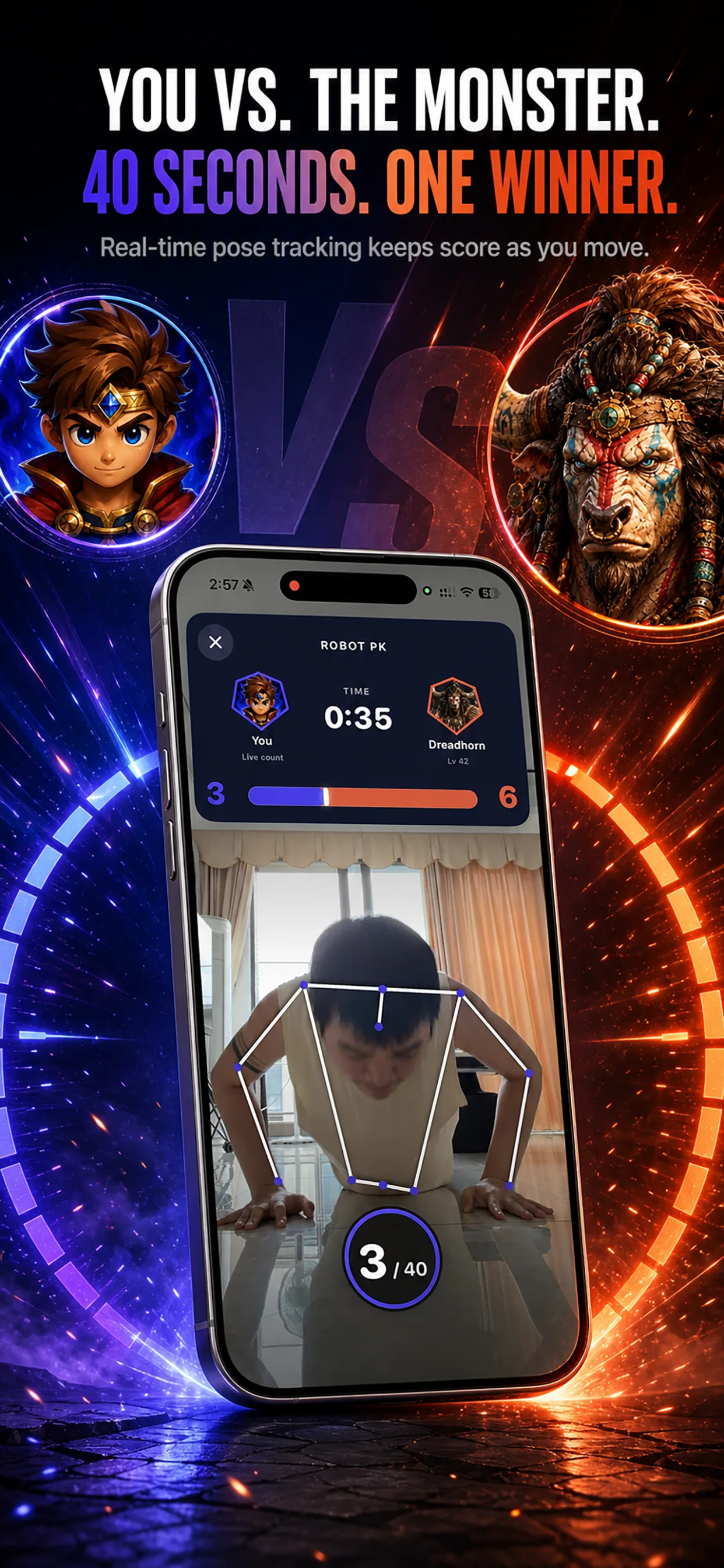
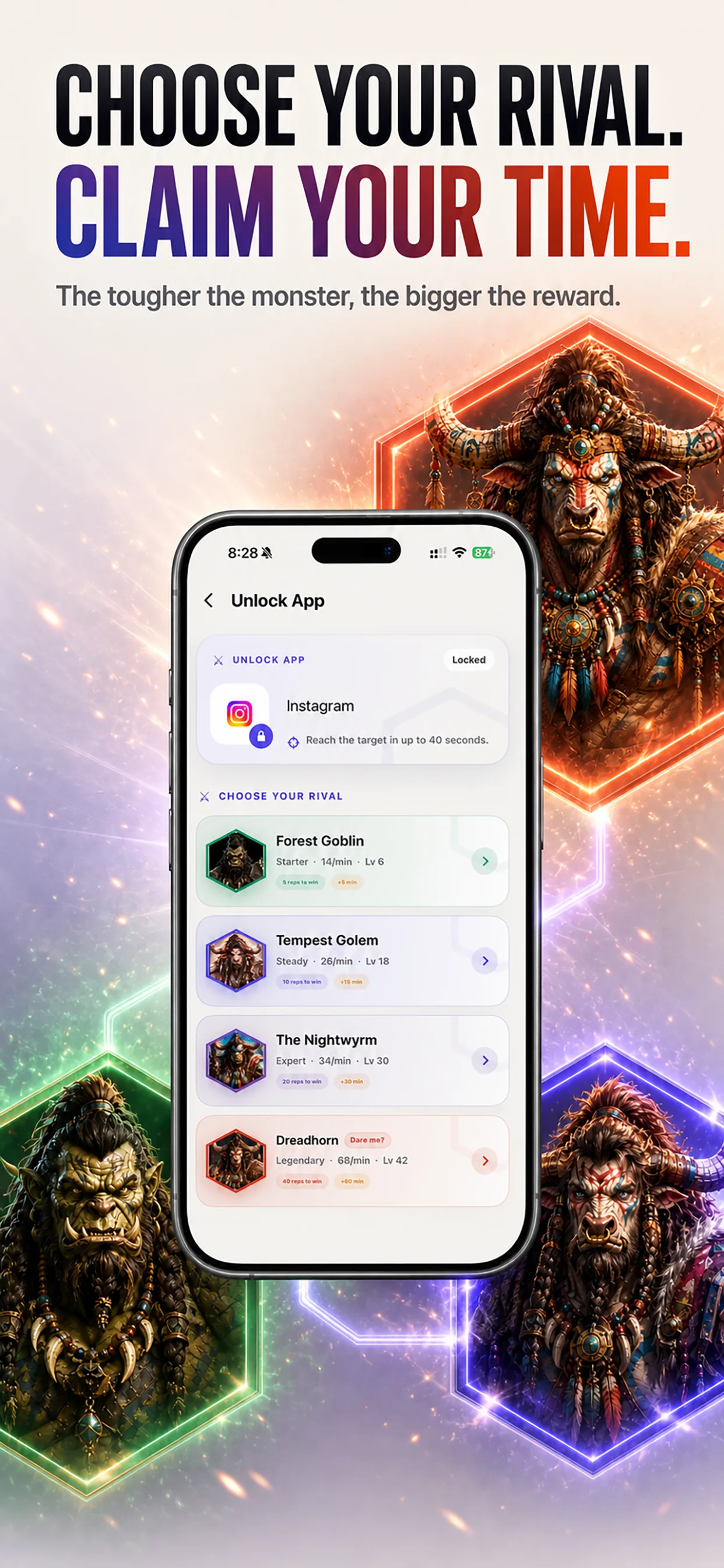
Start with Forest Goblin, step up to Tempest Golem and The Nightwyrm, or take on Dreadhorn—the ultimate challenge. Battles last up to 40 seconds, and monsters follow a fixed pace—no real players are involved.
CHOOSE YOUR RIVAL
The harder the monster, the greater the reward. Unlock only the app you selected, keep every other restricted app locked, and automatically re-lock when your earned time ends.
TAKE BACK YOUR ATTENTION
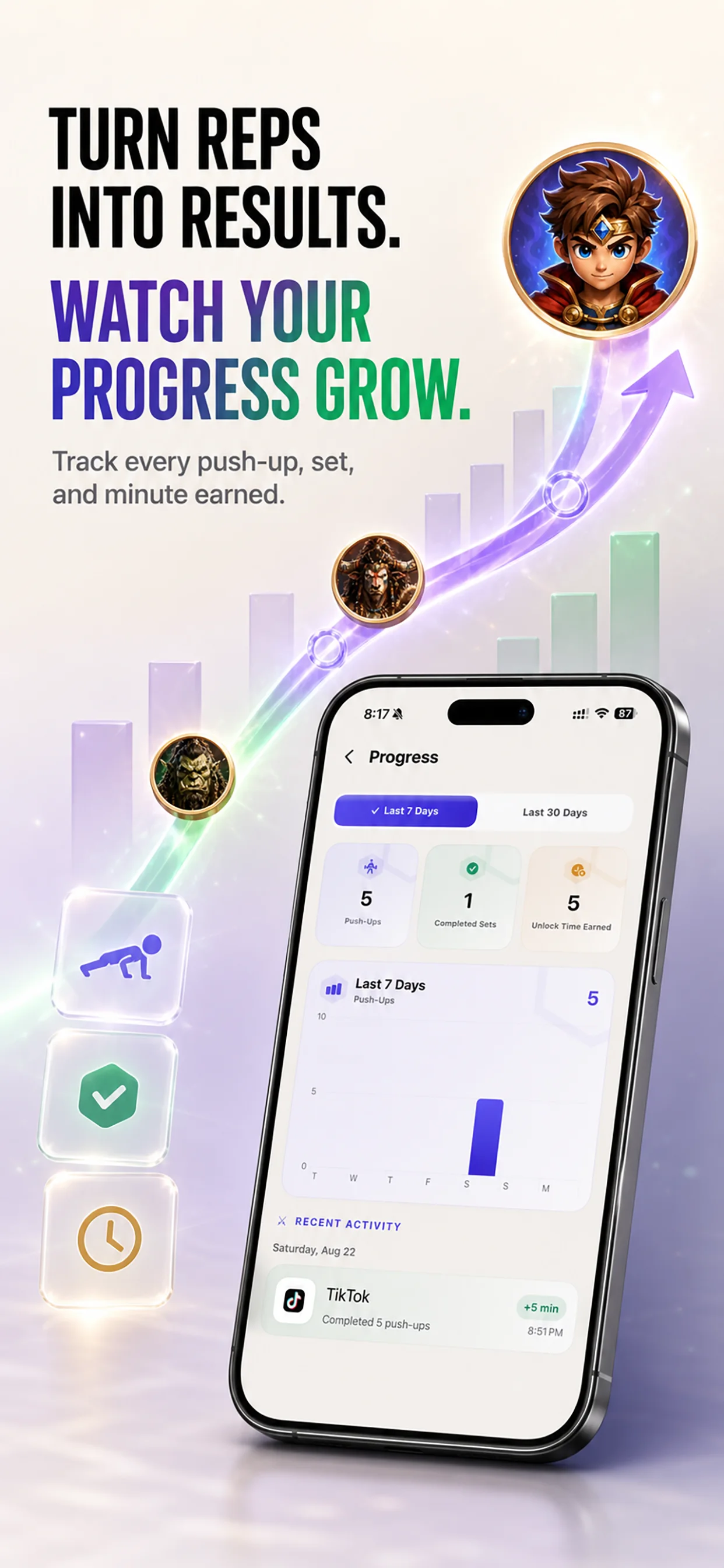
See your reps to win, completed sets, and focused time across the last 7 or 30 days. This simple digital wellbeing habit helps you move more and reduce screen time without uploading your history.
QUICK ANSWERS
Learn how monster battles turn push-ups into earned, intentional app access.
Choose a restricted app, face your selected monster, and race to complete the target first. Win to unlock only that app for your earned time; lose and it stays locked.
Choose 5, 10, 20, or 40 push-ups to win. The corresponding rewards are 5, 15, 30, or 60 minutes of access.
No. Monsters follow a fixed pace, so every battle is predictable, private, and available whenever you need it. No real players are involved.
Battles last up to 40 seconds and end immediately when you or the monster reaches the target.
Yes. Push-up detection runs entirely on your device. Camera video is never uploaded, shared, or saved.
MOVE. EARN. UNLOCK.
Build healthier screen habits—one push-up battle at a time.